Controllers & HMI
PLC (Programmable Logic Controller)
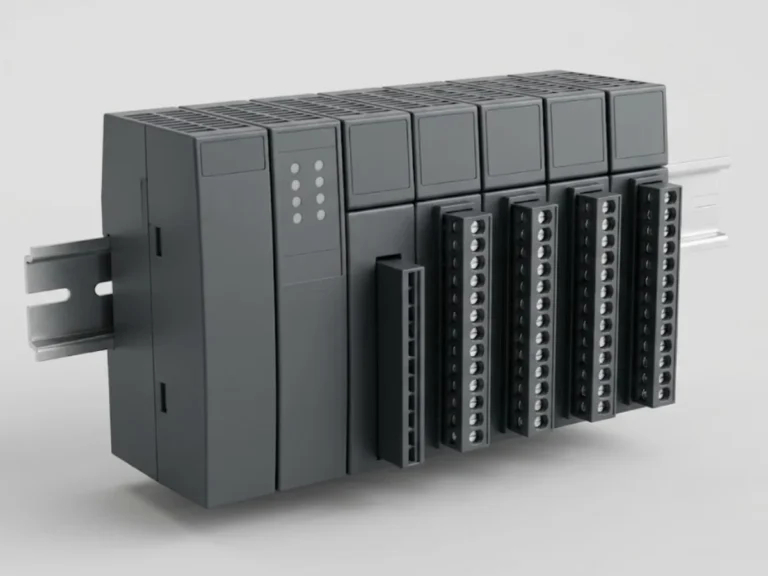
Programmable controllers that run machine and process logic, with digital, analogue and communication I/O.
On request- StandardIEC 61131
Automation
Download specification sheet (PDF)
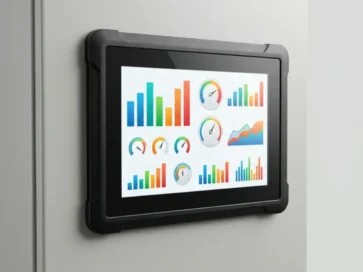
Touch and keypad operator panels for monitoring and controlling machines and processes.
Every field is optional - tell us what you know and we will confirm the rest in the quotation.
Representative image. The actual product, make and appearance depend on the supplier and your specification.
Also searched as: HMI, HMI panel, touch screen operator panel, operator interface panel, HMI display, keypad operator panel
The first check is whether the panel can talk to your PLC. Verify that a driver for your controller and protocol exists, such as Ethernet or serial, and that the tag or register capacity meets your project. A good-looking screen with no driver is useless.
Typical mistakes: choosing too small a panel for the alarm list, ignoring spare communication ports, and failing to back up the HMI project. Design alarm text so operators know what to do. Connect it to a PLC and see the controllers and HMI range.
Ratings, dimensions and certification are confirmed against your enquiry. Use Send an enquiry and our engineers will respond within 24 hours.
No. The HMI needs a driver for the PLC's protocol and make, whether serial or Ethernet. Check the supported device list before ordering, and note the number of tags or registers you need to read.
It depends on content and viewing distance. Simple start-stop and status screens work on small 4 to 7 inch panels. Complex mimics, trends and alarm lists need 10 inch or larger. Add margin if operators wear gloves or stand far away.
An HMI operator panel is a touch or keypad display that lets an operator monitor and control a machine or process. It connects to a PLC or drive, shows values, alarms and screens, and accepts commands from the operator.
HMI stands for Human Machine Interface. It is the screen or panel an operator uses to see the status of a machine or process, view alarms and give commands to the PLC or drive that controls it.
Choose the screen size, touch or keys, the communication protocols to match your PLC, the supply voltage and the panel cut-out size. The front protection degree should suit the place of mounting. Check that the PLC make is supported.
Send the screen size, touch or keypad, PLC or drive make and protocol, supply voltage, cut-out size and quantity. Mention the make if you prefer one. SKE Bharat will prepare a quotation from these details.
| Product Type | Human machine interface |
|---|---|
| Standard | IEC 61131-2 (typical EMC/environment), IEC 60529 (front IP) |
| Selection Basis | Screen size, touch or keys, protocols supported, supply voltage, mounting cut-out |
| Typical Use | Operator interface at machines and panels |
Programmable controllers that run machine and process logic, with digital, analogue and communication I/O.
On requestDistributed input/output modules that extend a controller across the plant over a fieldbus or Ethernet.
On requestThyristor DC drives for speed control of DC motors in rolling mills, cranes and process lines.
On request24 V DC and other DIN-rail switch-mode power supplies for control panels and automation.
On request