The devices on a control panel door and the small relays behind it cost little compared with the breakers and drives, yet they cause a large share of nuisance faults: contacts that burn on a DC load, coils that overheat, timers that reset at the wrong moment, and operators who press the wrong button because the colours do not match what they expect. This guide covers how to choose them well.
Push buttons, selector switches and indicators
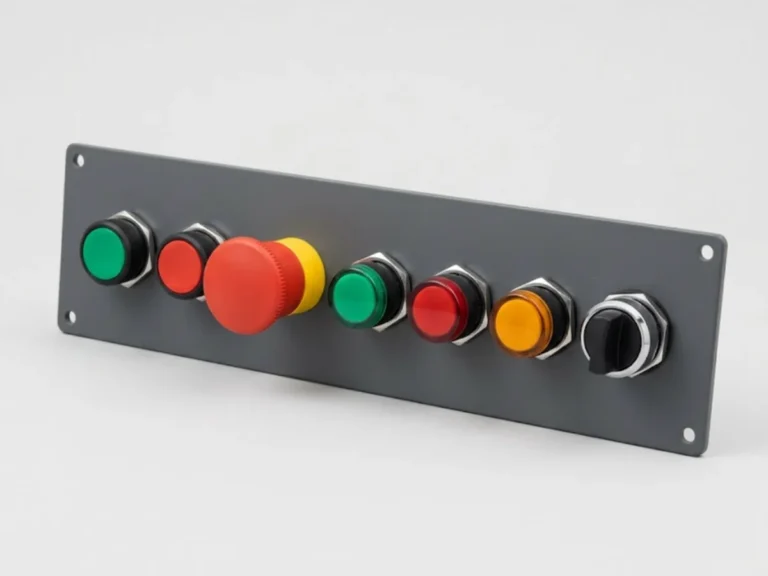
Standard panel-mount pilot devices use a 22.5 mm cut-out. Operators, contact blocks and lamps are modular and mount with a common fixing, so you can change a button or add a contact later without drilling again. Check that the make you choose has a robust bezel and the correct IP rating (IP65 front is typical for industrial doors).
Colour codes for buttons
IEC 60204-1, the standard for the electrical equipment of machines, sets out the general colour practice:
| Colour | Typical meaning | Used for |
|---|---|---|
| Red | Stop, off, emergency | Stop buttons; emergency stop is red on a yellow background |
| Green | Start, on | Start buttons |
| Yellow | Abnormal condition, intervention | Reset after trip, override |
| Blue | Mandatory action | Reset functions that need deliberate action |
| White or black | No specific meaning | General functions such as jog |
Emergency stop buttons should be mushroom-head, red, with a positive-opening (direct opening) contact and latching action, and must be wired so that the stop works even if the wire breaks. Follow the plant’s own colour convention and tell the operators. Many Indian plants use red for “running” lamps, so write down what your convention is on the drawing set and avoid mixing the two.
Selector switches
- Choose 2-position or 3-position, maintained or spring return.
- Typical uses: Local-Off-Remote, Auto-Manual, Hand-Off-Auto.
- Key-operated versions limit access to maintenance staff.
Indicator lamps
Use LED lamps; they last longer, take little current and tolerate vibration. Check that the lamp voltage matches the control supply (24 V DC, 110 V AC, 230 V AC). Mixing lamp supply voltages with the coil supply is a typical cause of nuisance faults. Buy a few spare lamp modules. Explore the push buttons, indicators and selector switches.
Timers
Timers appear in star-delta starters, sequential starts, fan run-on and alarm delays. Choose the function first.
- ON-delay: output switches after a set time from the moment power is applied. Star-delta changeover, delayed starts.
- OFF-delay: output stays on for a set time after the trigger is removed. Cooling-fan run-on, lamp hold.
- Star-delta timer: two outputs with a short dead time between star and delta, usually 50 to 100 ms, so contactors do not overlap.
- Multifunction timers: one device with many modes; flexible but check that the mode is set correctly and the dial is not changed by accident.
- Cyclic or flasher: pulse generators for alarms and beacons.
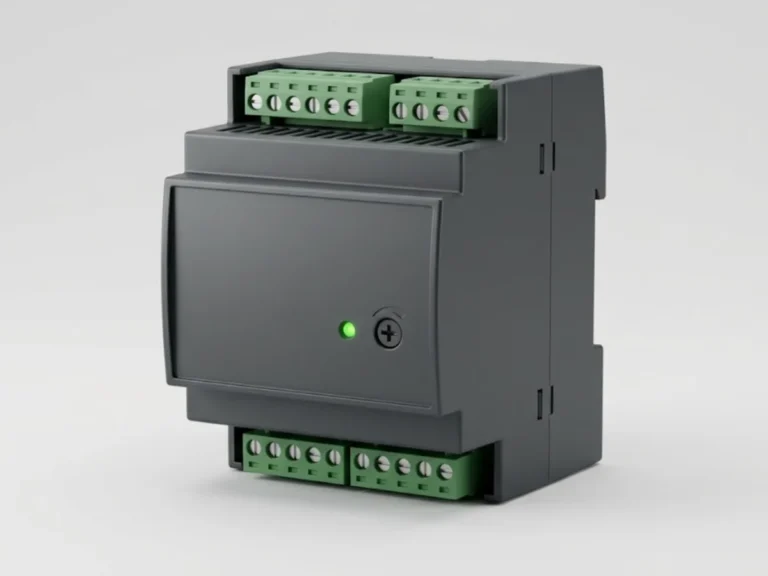
Choose the time range so the setting sits in the middle of the dial where it is most accurate, with a supply voltage of 24 V AC/DC universal or 110 to 240 V as needed. For critical sequences, use the PLC timers rather than a mechanical or analogue timer. Check the range under control relays and timers.
Interface relays and control relays
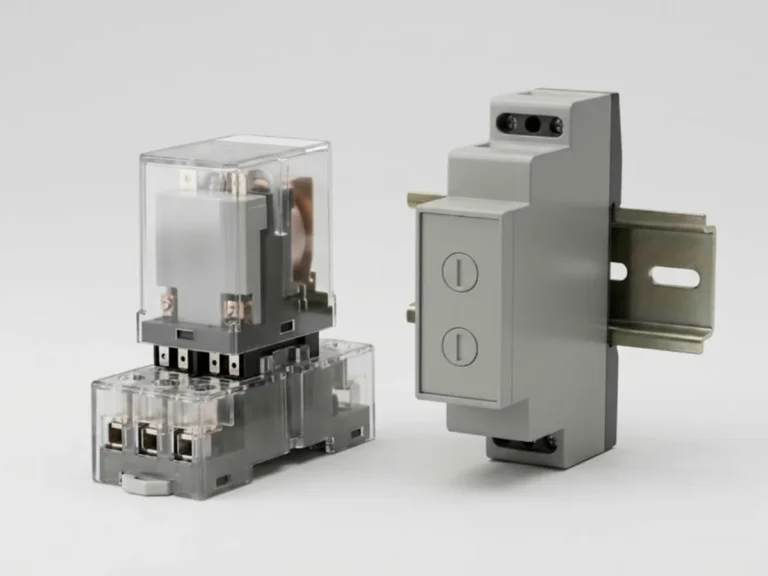
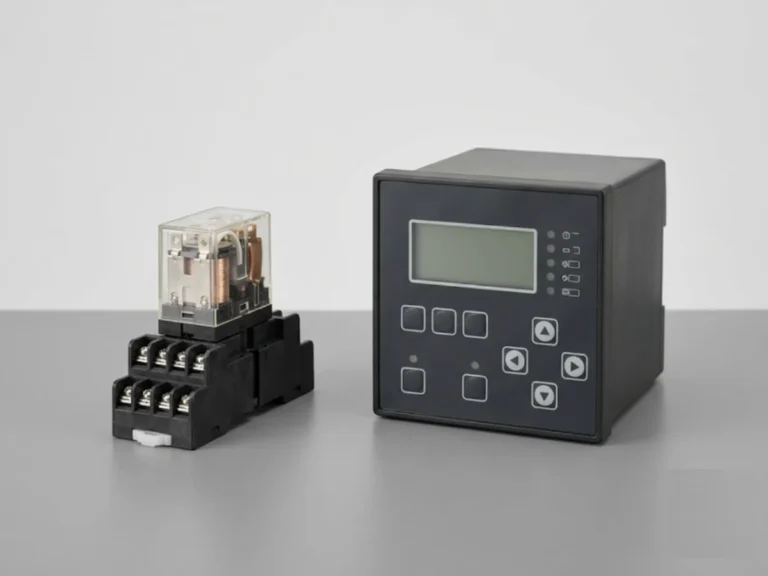
Interface relays sit between a low-power source, like a PLC output or sensor, and a larger load such as a contactor coil or a solenoid valve. They isolate and amplify the signal and protect the PLC output from inductive kick. They are also used for contact multiplication, when one signal must drive many circuits.
What to check
- Coil voltage and type: 24 V DC is typical for PLC systems; AC coils for older panels. Never mix coil types on one supply without checking.
- Contact configuration: 1 CO, 2 CO or 4 CO. More contacts cost more space; slim DIN-rail relays of 6 mm and 14 mm width are common.
- Contact rating and material: check the rating for AC-15 (control of electromagnetic loads) or DC-13, not just the 6 A or 10 A resistive figure. Silver-nickel contacts suit power switching; gold-flashed contacts suit low-level signals such as 4-20 mA loops or low voltage inputs. Do not use a contact that has switched power later for low-level signals.
- Output type: electromechanical relays handle mixed loads and give galvanic isolation; solid-state relays suit fast and frequent switching, with no contacts to wear, but have leakage current and need heat dissipation.
- Surge suppression: a free-wheel diode across a DC coil or an RC snubber across an AC coil protects the driver and contacts from voltage spikes. Many sockets and relays include them as a module.
- Sockets and LED indicators: relays on a socket with a status LED and a test button simplify fault finding.
See the relays spares page for replacements, and DIN-rail power supplies for the 24 V DC control supply, which should be sized with 20 to 30 percent spare for added relays.
Common mistakes
- Using a relay contact rated 10 A resistive on a 230 V contactor coil with high inrush.
- No surge suppressor, so the PLC output card fails after some months.
- Wrong colour for a stop button or emergency stop that does not break the circuit when wire breaks.
- Control supply overloaded because many coils and lamps were added later.
- Mixing 24 V DC and 110 V AC wires in the same duct without separation or labels.
Control circuit design affects machine safety. Safety functions, such as emergency stop and guard interlocks, must be designed to the applicable machine safety standards and confirmed by a qualified engineer. The PLC side is covered in PLC products.
What to send us for a quotation
Send the control voltage, quantity and type of each device (push button colours and contact blocks, selector positions, lamp colours, timer functions and ranges, relay coil voltage and contact count), the panel IP rating and any specific make you need to match. You can request a quotation or contact us. We answer quotation requests within 24 hours.
Frequently asked questions
What colour should a start and stop push button be?
By general practice under IEC 60204-1, start is green, stop is red, and emergency stop is a red mushroom head on a yellow background. Reset functions are often blue or yellow. Whatever your plant convention, write it on the drawing and keep it consistent across panels so operators do not have to guess.
What is an interface relay used for?
An interface relay lets a low-power source, such as a PLC output or a sensor, switch a bigger load such as a contactor coil, a solenoid or another voltage level, while keeping the circuits electrically isolated. It also protects PLC outputs from inductive kick and can multiply one signal into several contacts.
Which timer do I need for a star-delta starter?
Use an ON-delay timer or a dedicated star-delta timer. The star-delta timer has two outputs with a short dead time, typically around 50 to 100 milliseconds, between star opening and delta closing so that the contactors never overlap. The star time is set according to the motor acceleration, commonly several seconds.
Can I use the same relay for power and low-level signals?
It is best not to. A contact that has switched a significant current develops a surface film that gives poor reliability at very low voltage and current. For 4-20 mA loops and low-level inputs use relays with gold-plated or flashed contacts, and keep power switching on separate relays.